
Google Photos
Google Photos is Google's photo storage service and gallery app. This page covers Android version 7.94.0.984908898.
220.7 MB

11.5.22 · Adobe · Page updated
Adobe Photo Lightroom is Adobe's photo editing app for Android, with presets, detailed adjustments, a pro camera mode and optional cloud sync.
Average 0.0 · ratings: 0
Thank you! Your rating is saved; you can change it. Could not save the rating. Please try again later. Too many ratings from your network today. Please try again tomorrow. The average appears after 5 ratings.
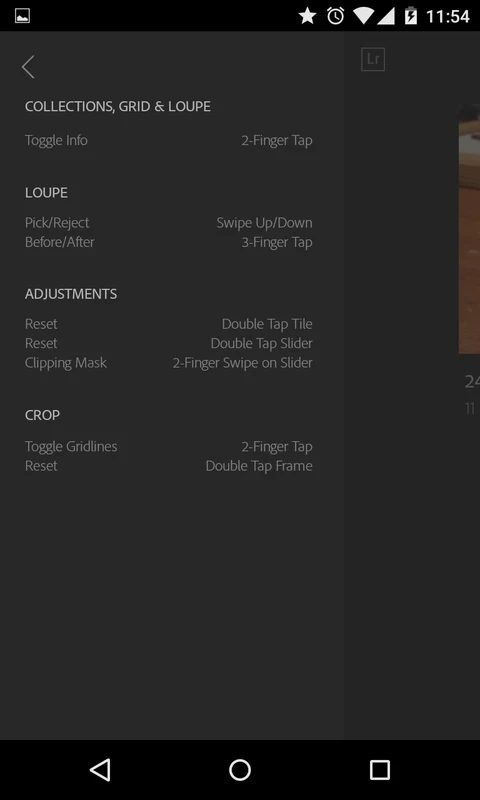
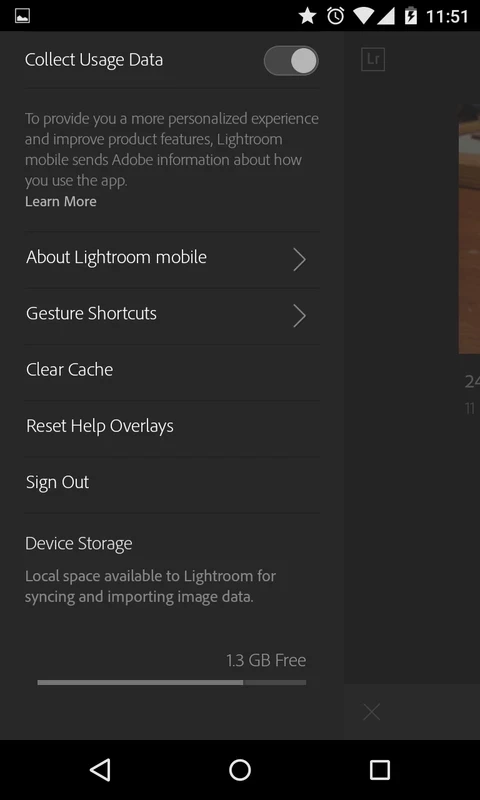
Adobe Photo Lightroom 11.5.22 is Adobe's photo editor for Android. It brings the adjustment tools photographers know from the desktop version, such as exposure, colour, curves and presets, to the phone, and adds a camera mode with manual controls. The app is free to use, with premium features by subscription, and you can download Adobe Lightroom for Android from Google Play.
Lightroom on Android is built for people who take photography seriously but increasingly shoot and edit on a phone. The core editing tools are free: light and colour sliders, cropping, presets and profiles that give pictures a consistent look. Editing is non-destructive, so the original image stays untouched and you can go back at any time. The built-in camera can capture in raw format on supported phones, which keeps more detail in highlights and shadows for later editing. Premium features, part of Adobe's paid plans, add things such as selective adjustments to parts of an image, advanced healing and cloud storage that syncs photos and edits with Lightroom on a computer and on the web. For casual snapshots, the free tools are often enough; for people who already edit in Lightroom on a PC, the sync is the main reason to use the mobile app. Adobe documents changes in its Lightroom release notes.
The app is about 249.72 MB according to catalogue data. Product information is on Adobe's Lightroom page, and Adobe explains how to download all synced files if you want to keep local copies.
The free version covers most basic editing. Premium features require an Adobe subscription; check what is included before paying and note the renewal date. Cloud sync uploads photos to Adobe's servers, so decide which albums you want synced.
For quick edits and designs, our listings include Canva, PixelLab and Hypic – Photo Editor AI Art. Remini focuses on enhancing old or blurry photos.
Google Photos is Google's photo storage service and gallery app. This page covers Android version 7.94.0.984908898.

Aarya Editz is a photo editing app for Android from KCS Devlopers; it has not been updated for a long time and has no official download source in our data.

Background Eraser by handyCloset is a free Android app for removing the background from photos and saving the cut-out as a transparent image.
Hypic is an AI photo editor for Android from ByteDance with retouching, background tools, filters and AI-generated art styles.

Ultra Camera HD: 4K Camera is a third-party Android camera app from Haibara CodeX offering an alternative interface for taking photos and videos.

PixelLab is a free Android app from App Holdings for adding styled text, stickers, shapes and effects to pictures.

Remini is an AI photo enhancer for Android that sharpens blurry pictures, restores old photos and improves faces in portraits.

Canva for Android is the mobile app of Canva's online graphic design platform for making posts, flyers, presentations and short videos.